October 16, 2020
What’s in a job description?
Using natural language processing to analyze job descriptions with Python

Wordclouds are a form of data visualization which can show us the frequency of terms in a piece of text. In the context of job applications, they seem particularly adept at identifying potential keywords (and/or buzzwords) which employers may be looking for in an applicant. It seems that the use of Applicant Tracking Systems (ATS) is becoming a bit of a hurdle for jobseekers, with tons of articles focused on how to optimize one’s resume for ATS to avoid being filtered out by algorithms.
In the spirit of desiring fulfilling employment, and recognizing the importance of displaying traits which an employer deems most important, I wanted to see which key words were showing up most often in the kinds of jobs I was applying to. It also seemed like a perfect opportunity to learn how to perform text analysis using Natural Language Processing (NLP) in Python.
To start off, we’ll need to load a number of libraries. Typically when you’re working with dataframes in Python you’ll make use of pandas and numpy. We’ll be using nltk for the natural language processing functions, standard python modules re, string and itertools for string manipulation, pattern matching and iteration respectively. Lastly we’ll make use of matplotlib, Pillow (PIL), and wordcloud to produce the wordcloud.
# Importing necessary libraries
import pandas as pd
import numpy as np
import string
from nltk.stem import WordNetLemmatizer
from nltk import pos_tag, RegexpTokenizer
from nltk.corpus import stopwords, wordnet
import re
from wordcloud import WordCloud, STOPWORDS
from PIL import Image
import matplotlib as plt
from itertools import islice
pd.set_option("display.latex.repr", True)
Functions
In case you’re new to programming, writing functions is the way you avoid rewriting code over and over again. The functions defined below are not designed to solve a wide range of problems, or even to be foolproof, but they can perform some simple text cleaning as long as you are aware of their limits.
## Functions -----------------------------------------------------------------------------------------------------------
# Text cleaning function, shamelessly stolen from: https://github.com/datanizing/reddit-selfposts-blog
def clean(s):
    s = re.sub(r'((\n)|(\r))', " ", s) # replace newline characters and \r whatever it is (another line break char?) with spaces
    s = re.sub(r'\r(?=[A-Z].)', "", s) # remove \r when it is next to a word
    s = re.sub(r'/', " ", s) # replace forward slashes with spaces
    s = re.sub(r'\-', " ", s) # replace dashes with spaces (I will be forever cursed for not accounting for the em dash)
    no_punct = "".join([c.lower() for c in s if c not in string.punctuation]) # remove punctuation

    return no_punct

# Function to remove stopwords from a list of words
def remove_stopwords(text):
    words = [w for w in text if w not in stopwords.words('english')]
    return words

# Function to lemmatize strings from a list of words
# Likely cobbled together from this thread:
# https://stackoverflow.com/questions/15586721/wordnet-lemmatization-and-pos-tagging-in-python
def get_wordnet_pos(word):
    """Map POS tag to first character lemmatize() accepts"""
    tag = pos_tag([word])[0][1][0].upper()
    tag_dict = {"J": wordnet.ADJ,
                "N": wordnet.NOUN,
                "V": wordnet.VERB,
                "R": wordnet.ADV}

    return tag_dict.get(tag, wordnet.NOUN)

# Lemmatizing reduces words to their root form
def word_lemmatizer(lem_object, text):
    lem_text = [lem_object.lemmatize(word = i, pos= get_wordnet_pos(i)) for i in text]
    return(lem_text)


# Function for creating masked wordcloud
# Found here: https://amueller.github.io/word_cloud/auto_examples/masked.html
def make_image(text, img):
    # Need to get a mask image
    mask = np.array(Image.open(img))

    wc = WordCloud(background_color="#F0FAFA", max_words=1000, mask=mask,
                   random_state=1,
                   colormap='inferno')
    # generate word cloud
    wc.generate_from_frequencies(text)

    # show
    plt.imshow(wc, interpolation="bilinear")
    plt.axis("off")
    plt.show()


def take(n, iterable):
    "Return first n items of the iterable as a list"
    return list(islice(iterable, n))
Read in data
Now that we have our libraries loaded and functions defined, we can read in the data. This is a simple dataset of job postings found on LinkedIn in which I was interested. I simply copied and pasted the information, like a caveman, into Google Sheets. If you wanted to do this at scale, you could look into pulling data from LinkedIn via an API, or webscraping. Let’s check what columns are in the data.
# Read in data
jobapps_file = 'data/jobapps.csv'
jobapps_df = pd.read_csv(jobapps_file)

# Look at the columns
jobapps_df.columns
Index(['Position', 'Company', 'Location', 'description',
'qualifications', 'benefits'],
dtype='object')The columns include the Position, Company, Location, Role Description, Qualifications, and Benefits of each job.
Benefits information was not too common, but I included it wherever it was found.
To get a quick look at the data, let’s use the head() function.
# Look at the top of the dataframe
jobapps_df.head()| Position | Company | Location | description | qualifications | benefits |
|---|---|---|---|---|---|
| Associate Governmental Program Analyst | Fair Employment Agency | Los Angeles | 30% Ensure that the DFEH complies with all OSH… | NaN | NaN |
| Data and Policy Analyst - Statistical Programmer | Acumen LLC | NaN | Data and Policy Analysts perform a wide array … | Bachelor’s degree in a quantitative, public po… | NaN |
| Lead Business Intelligence Engineer | sweetgreen | NaN | Lead BI Engineers are responsible for owning a… | Experience with modern data platforms (e.g. AW… | Three different medical plans to suit your and… |
| Capacity Planning Analyst | Beyond Meat | NaN | We are looking for an exceptional analyst who … | 5+ years of experience in operations or busine… | NaN |
| Data and Policy Analyst - Writer/Coordinator | Acumen LLC | NaN | Data and Policy Analysts perform a wide array … | Bachelor’s degree in a quantitative, public po… | NaN |
For some reason, in python I have a tendency to assign everything.
I’m not sure if it’s related to python or the tutorials that I have read through, but nonetheless here we assign the job description text to a variable job_desc.
# Isolate job description text
job_desc = jobapps_df[['description']]
Cleaning
The first thing we need to do is clean our text because there are a lot of characters that won’t help us determine the most common words or phrases used in the descriptions.
You can see the results below, the clean() function removes punctuation, converts the text to lowercase and generally makes the text more machine-readable.
# Text cleaning function, shamelessly stolen from: https://github.com/datanizing/reddit-selfposts-blog
def clean(s):
    s = re.sub(r'((\n)|(\r))', " ", s) # replace newline characters and \r whatever it is (another line break char?) with spaces
    s = re.sub(r'\r(?=[A-Z].)', "", s) # remove \r when it is next to a word
    s = re.sub(r'/', " ", s) # replace forward slashes with spaces
    s = re.sub(r'\-', " ", s) # replace dashes with spaces (I will be forever cursed for not accounting for the em dash)
    no_punct = "".join([c.lower() for c in s if c not in string.punctuation]) # remove punctuation

    return no_punct
Now we add a cleaned description column to the dataframe and take a look at the two columns side by side.
# Cleaning
job_desc_clean = job_desc

# assign a new column desc_clean
job_desc_clean = job_desc_clean.assign(desc_clean = job_desc.description.apply(clean))

job_desc_clean.head()| description | desc_clean |
|---|---|
| 30% Ensure that the DFEH complies with all OSH… | 30 ensure that the dfeh complies with all osha… |
| Data and Policy Analysts perform a wide array … | data and policy analysts perform a wide array … |
| Lead BI Engineers are responsible for owning a… | lead bi engineers are responsible for owning a… |
| We are looking for an exceptional analyst who … | we are looking for an exceptional analyst who … |
| Data and Policy Analysts perform a wide array … | data and policy analysts perform a wide array … |
Tokenization
Tokenization is the process of separating a sentence into smaller chunks such as words and number elements.
If we were to do this manually it would mean splitting up a string by spaces, newline characters, different punctuation, deciding what to do with contractions, etc.
Thankfully, someone has already programmed all this and put it into a function in the nltk library called word_tokenize().
## Error: '\<' is an unrecognized escape in character string starting ""This was mostly for my own edification to see the difference between the two. For example, you can see below by comparing `desc_clean` and `desc_clean_nostop` what kind of words are removed:
## \"<em>that</em>\", \"<em>the</em>\", \"<em>with</em>\", \<"
## Tokenizing
# Instantiate Tokenizer
tokenizer = RegexpTokenizer(r'\w+')
# Add tokenized column
job_desc_clean['desc_tokenized'] = job_desc_clean.desc_clean.apply(lambda x: tokenizer.tokenize(x))
# Remove stop words
job_desc_clean['desc_clean_nostop'] = job_desc_clean['desc_clean'].apply(lambda x: " ".join(x for x in x.split() if x not in stopwords.words('english')))
# Add tokenized column w/o stop words
job_desc_clean['desc_tokenized_nostop'] = job_desc_clean.desc_tokenized.apply(lambda x: remove_stopwords(x))
job_desc_clean.head()| description | desc_clean | desc_tokenized | desc_clean_nostop | desc_tokenized_nostop |
|---|---|---|---|---|
| 30% Ensure that the DFEH complies with all OSH… | 30 ensure that the dfeh complies with all osha… | [30, ensure, that, the, dfeh, complies, with, … | 30 ensure dfeh complies osha cal osha regulati… | [30, ensure, dfeh, complies, osha, cal, osha, … |
| Data and Policy Analysts perform a wide array … | data and policy analysts perform a wide array … | [data, and, policy, analysts, perform, a, wide… | data policy analysts perform wide array functi… | [data, policy, analysts, perform, wide, array,… |
| Lead BI Engineers are responsible for owning a… | lead bi engineers are responsible for owning a… | [lead, bi, engineers, are, responsible, for, o… | lead bi engineers responsible owning approxima… | [lead, bi, engineers, responsible, owning, app… |
| We are looking for an exceptional analyst who … | we are looking for an exceptional analyst who … | [we, are, looking, for, an, exceptional, analy… | looking exceptional analyst diagnose solve com… | [looking, exceptional, analyst, diagnose, solv… |
| Data and Policy Analysts perform a wide array … | data and policy analysts perform a wide array … | [data, and, policy, analysts, perform, a, wide… | data policy analysts perform wide array functi… | [data, policy, analysts, perform, wide, array,… |
Lemmatization
Lemmatization is the process of reducing words to their base form e.g. reduce, reducing, reduced all have the same base form, stem, or lemma.
Similarly to tokenization, this process has a handy class in the nltk library called WordNetLemmatizer()which can be used to lemmatize words.
We use the lemmatizer object in conjunction with the word_lemmatizer() and get_wordnet_pos() functions:
# Lemmatizing reduces words to their root form
def word_lemmatizer(lem_object, text):
    lem_text = [lem_object.lemmatize(word = i, pos= get_wordnet_pos(i)) for i in text]
    return(lem_text)

# Function to lemmatize strings from a list of words
# Likely cobbled together from this thread:
# https://stackoverflow.com/questions/15586721/wordnet-lemmatization-and-pos-tagging-in-python
def get_wordnet_pos(word):
    """Map POS tag to first character lemmatize() accepts"""
    tag = pos_tag([word])[0][1][0].upper()
    tag_dict = {"J": wordnet.ADJ,
                "N": wordnet.NOUN,
                "V": wordnet.VERB,
                "R": wordnet.ADV}

    return tag_dict.get(tag, wordnet.NOUN)
It can be a little confusing at first glance but a quick read through some of the underlying functions’ documentation should make things clear.
## Lemmatization
# Importing Lemmatizer library from nltk
lemmatizer = WordNetLemmatizer()

# Add lemmatized column
job_desc_clean['desc_lemmatized'] = job_desc_clean.desc_tokenized_nostop.apply(lambda x: word_lemmatizer(lemmatizer, x))

job_desc_clean.head()| description | desc_clean | desc_tokenized | desc_clean_nostop | desc_tokenized_nostop | desc_lemmatized |
|---|---|---|---|---|---|
| 30% Ensure that the DFEH complies with all OSH… | 30 ensure that the dfeh complies with all osha… | [30, ensure, that, the, dfeh, complies, with, … | 30 ensure dfeh complies osha cal osha regulati… | [30, ensure, dfeh, complies, osha, cal, osha, … | [30, ensure, dfeh, complies, osha, cal, osha, … |
| Data and Policy Analysts perform a wide array … | data and policy analysts perform a wide array … | [data, and, policy, analysts, perform, a, wide… | data policy analysts perform wide array functi… | [data, policy, analysts, perform, wide, array,… | [data, policy, analyst, perform, wide, array, … |
| Lead BI Engineers are responsible for owning a… | lead bi engineers are responsible for owning a… | [lead, bi, engineers, are, responsible, for, o… | lead bi engineers responsible owning approxima… | [lead, bi, engineers, responsible, owning, app… | [lead, bi, engineer, responsible, own, approxi… |
| We are looking for an exceptional analyst who … | we are looking for an exceptional analyst who … | [we, are, looking, for, an, exceptional, analy… | looking exceptional analyst diagnose solve com… | [looking, exceptional, analyst, diagnose, solv… | [look, exceptional, analyst, diagnose, solve, … |
| Data and Policy Analysts perform a wide array … | data and policy analysts perform a wide array … | [data, and, policy, analysts, perform, a, wide… | data policy analysts perform wide array functi… | [data, policy, analysts, perform, wide, array,… | [data, policy, analyst, perform, wide, array, … |
You might notice that the lemmatization isn’t completely accurate e.g. complies is not lemmatized to comply and reporting does not become report.
To be honest, I am not completely sure why this happens.
The part-of-speech tagging is not tagging as expected in a number of cases, and that is something I will have to investigate in the future.
Count word frequencies
So we now have our words cleaned, tokenized and lemmatized, time to find out which occur most freqently. Because we made a new column for each step of the process, we have a number of different text columns which we can look at. First let’s look at the most frequent terms in each job description using nltk’s FreqDist class.
# finding the frequency distinct in the tokens
# Importing FreqDist library from nltk and passing token into FreqDist
from nltk.probability import FreqDist
job_desc_freq = [FreqDist(desc) for desc in job_desc_clean.desc_tokenized_nostop]
job_desc_freq
[FreqDist({'dfeh': 5, 'regulations': 5, 'plans': 5, 'services': 5, 'state': 5, 'contract': 5, 'purchase': 5, 'maintain': 5, 'evacuation': 4, 'coordinate': 4, ...}),
FreqDist({'research': 3, 'statistical': 3, 'data': 2, 'perform': 2, 'analyses': 2, 'policy': 1, 'analysts': 1, 'wide': 1, 'array': 1, 'functions': 1, ...}),
FreqDist({'data': 10, 'customer': 8, 'within': 5, 'reporting': 4, 'marketing': 4, 'teams': 3, 'customers': 3, 'days': 3, 'owning': 2, 'portfolio': 2, ...}),
FreqDist({'capacity': 5, 'multiple': 4, 'global': 4, 'production': 4, 'business': 3, 'data': 3, 'planning': 3, 'worldwide': 3, 'ability': 3, 'analyst': 2, ...}),
FreqDist({'research': 3, 'findings': 3, 'perform': 2, 'project': 2, 'clients': 2, 'data': 1, 'policy': 1, 'analysts': 1, 'wide': 1, 'array': 1, ...}),
FreqDist({'data': 6, 'business': 5, 'insights': 5, 'analytics': 4, 'work': 3, 'player': 3, 'call': 2, 'duty': 2, 'mobile': 2, 'activision': 2, ...}),
FreqDist({'business': 11, 'data': 7, 'sales': 6, 'financial': 5, 'erp': 5, 'analyze': 5, 'analyst': 4, 'analysis': 4, 'performance': 4, 'requirements': 4, ...}),
FreqDist({'data': 11, 'security': 4, 'management': 4, 'portfolio': 4, 'trading': 3, 'analytics': 3, 'experience': 2, 'attributes': 2, 'including': 2, 'risk': 2, ...}),
FreqDist({'business': 3, 'tools': 3, 'role': 2, 'reporting': 2, 'high': 2, 'stakeholders': 2, 'data': 2, 'driven': 2, 'key': 2, 'partners': 2, ...}),
FreqDist({'operations': 5, 'strategy': 4, 'eaze': 4, 'business': 4, 'team': 3, 'cross': 3, 'functional': 3, 'analysis': 3, 'processes': 3, 'central': 2, ...}),
FreqDist({'data': 16, 'reporting': 4, 'performance': 4, 'quality': 4, 'support': 4, 'analyst': 3, 'bail': 3, 'analysis': 3, 'organization': 3, 'tbp': 3, ...}),
FreqDist({'data': 11, 'business': 7, 'across': 3, 'team': 3, 'intelligence': 2, 'analyst': 2, 'product': 2, 'part': 2, 'focused': 2, 'work': 2, ...}),
FreqDist({'data': 3, 'manager': 2, 'project': 2, 'research': 2, 'perform': 2, 'related': 2, 'attention': 2, 'studies': 2, 'projects': 2, 'include': 2, ...}),
FreqDist({'consumer': 3, 'documents': 3, 'conducting': 3, 'section': 3, 'assisting': 3, 'review': 2, 'analysis': 2, 'data': 2, 'practices': 2, 'complex': 2, ...}),
FreqDist({'policy': 7, 'work': 5, 'data': 5, 'public': 4, 'teams': 3, 'support': 3, 'team': 3, 'seal': 2, 'ensure': 2, 'would': 2, ...}),
FreqDist({'client': 3, 'work': 2, 'trss': 2, 'practices': 2, 'analysis': 2, 'data': 2, 'analytic': 2, 'produce': 1, 'regularly': 1, 'scheduled': 1, ...})]Let’s simplify and find the 10 most common words in each job description.
# To find the frequency of top 10 words
desc_most_common = [fdist.most_common(10) for fdist in job_desc_freq]
desc_most_common
[[('dfeh', 5),
('regulations', 5),
('plans', 5),
('services', 5),
('state', 5),
('contract', 5),
('purchase', 5),
('maintain', 5),
('evacuation', 4),
('coordinate', 4)],
[('research', 3),
('statistical', 3),
('data', 2),
('perform', 2),
('analyses', 2),
('policy', 1),
('analysts', 1),
('wide', 1),
('array', 1),
('functions', 1)],
...
...
...
[('policy', 7),
('work', 5),
('data', 5),
('public', 4),
('teams', 3),
('support', 3),
('team', 3),
('seal', 2),
('ensure', 2),
('would', 2)],
[('client', 3),
('work', 2),
('trss', 2),
('practices', 2),
('analysis', 2),
('data', 2),
('analytic', 2),
('produce', 1),
('regularly', 1),
('scheduled', 1)]]Note we’re joining each string together with a space, splitting it into words, and then using pandas’ value_counts() to count the frequency of each word.
There’s a lot going on so it might help to break this down from the inside out:
- join the rows of the cleaned description together with a space between each item
- split the text into a list of words
- convert this list of words to a series
- count the values in the series
Lastly we slice the first 10 items with the square brackets.
We use join and split because desc_clean is a string variable, unlike the tokenized columns which have already been separated into lists.
# Count word frequencies
freq = pd.Series(' '.join(job_desc_clean['desc_clean']).split()).value_counts()[:10]
freq| and | 288 |
| to | 118 |
| the | 108 |
| of | 89 |
| data | 82 |
| in | 51 |
| with | 48 |
| for | 45 |
| business | 39 |
| a | 37 |
Notice how many stop words are in there?. This is one reason why we remove them. So what about the cleaned text without the stop words?
# Count word freq w/o stop words
freq_nostop = pd.Series(' '.join(job_desc_clean['desc_clean_nostop']).split()).value_counts()

freq_nostop| data | 82 |
| business | 39 |
| analysis | 22 |
| work | 21 |
| reports | 17 |
| … | … |
| operating | 1 |
| continuous | 1 |
| optimized | 1 |
| primary | 1 |
| needle | 1 |
Now we’re starting to get a little insight into the content of the job descriptions, data, business, analysis, and work are our most common words. As you might be able to tell, I am looking primarily at jobs which leverage data analysis.
How does this differ when we use lemmatized words instead?
Because desc_lemmatized is already in list format, we do not need to join and split.
Instead we can convert each list to a series, use pandas stack() function to pivot the data back to a single column on which we can use value_counts() to count the frequency of each value.
freq_lemma = job_desc_clean.desc_lemmatized.apply(pd.Series).stack().reset_index(drop=True).value_counts()

freq_lemma| data | 82 |
| business | 39 |
| analysis | 30 |
| work | 27 |
| team | 27 |
| … | … |
| short | 1 |
| alternate | 1 |
| publicly | 1 |
| conversion | 1 |
| remove | 1 |
What if we want to know the most common words used in each application?
This will help in catering a resume or cover letter to a particular position.
We’ll use FreqDist again, this time making a column of frequency distributions and then finding the most common words for each position.
# Select top words for each
job_desc_clean['top_words'] = job_desc_clean.desc_tokenized_nostop.apply(FreqDist).apply(lambda fdist: fdist.most_common(5))

# Join back to the job data to see each position's most common terms
jobapps_df.iloc[:,0:2].join(job_desc_clean.top_words).head()| Position | Company | top_words |
|---|---|---|
| Associate Governmental Program Analyst | Fair Employment Agency | [(dfeh, 5), (regulations, 5), (plans, 5), (ser… |
| Data and Policy Analyst - Statistical Programmer | Acumen LLC | [(research, 3), (statistical, 3), (data, 2), (… |
| Lead Business Intelligence Engineer | sweetgreen | [(data, 10), (customer, 8), (within, 5), (repo… |
| Capacity Planning Analyst | Beyond Meat | [(capacity, 5), (multiple, 4), (global, 4), (p… |
| Data and Policy Analyst - Writer/Coordinator | Acumen LLC | [(research, 3), (findings, 3), (perform, 2), (… |
Now let’s do the same with the lemmatized words.
# What about the top words using lemmatized descriptions?
job_desc_clean['top_words_lemma'] = job_desc_clean.desc_lemmatized.apply(FreqDist).apply(lambda fdist: fdist.most_common(5))

jobapps_df.iloc[:,0:2].join(job_desc_clean.top_words_lemma).head()| Position | Company | top_words_lemma |
|---|---|---|
| Associate Governmental Program Analyst | Fair Employment Agency | [(contract, 11), (maintain, 7), (office, 6), (… |
| Data and Policy Analyst - Statistical Programmer | Acumen LLC | [(research, 3), (statistical, 3), (data, 2), (… |
| Lead Business Intelligence Engineer | sweetgreen | [(customer, 11), (data, 10), (within, 5), (rep… |
| Capacity Planning Analyst | Beyond Meat | [(capacity, 5), (multiple, 4), (global, 4), (p… |
| Data and Policy Analyst - Writer/Coordinator | Acumen LLC | [(research, 3), (finding, 3), (perform, 2), (c… |
Wordcloud
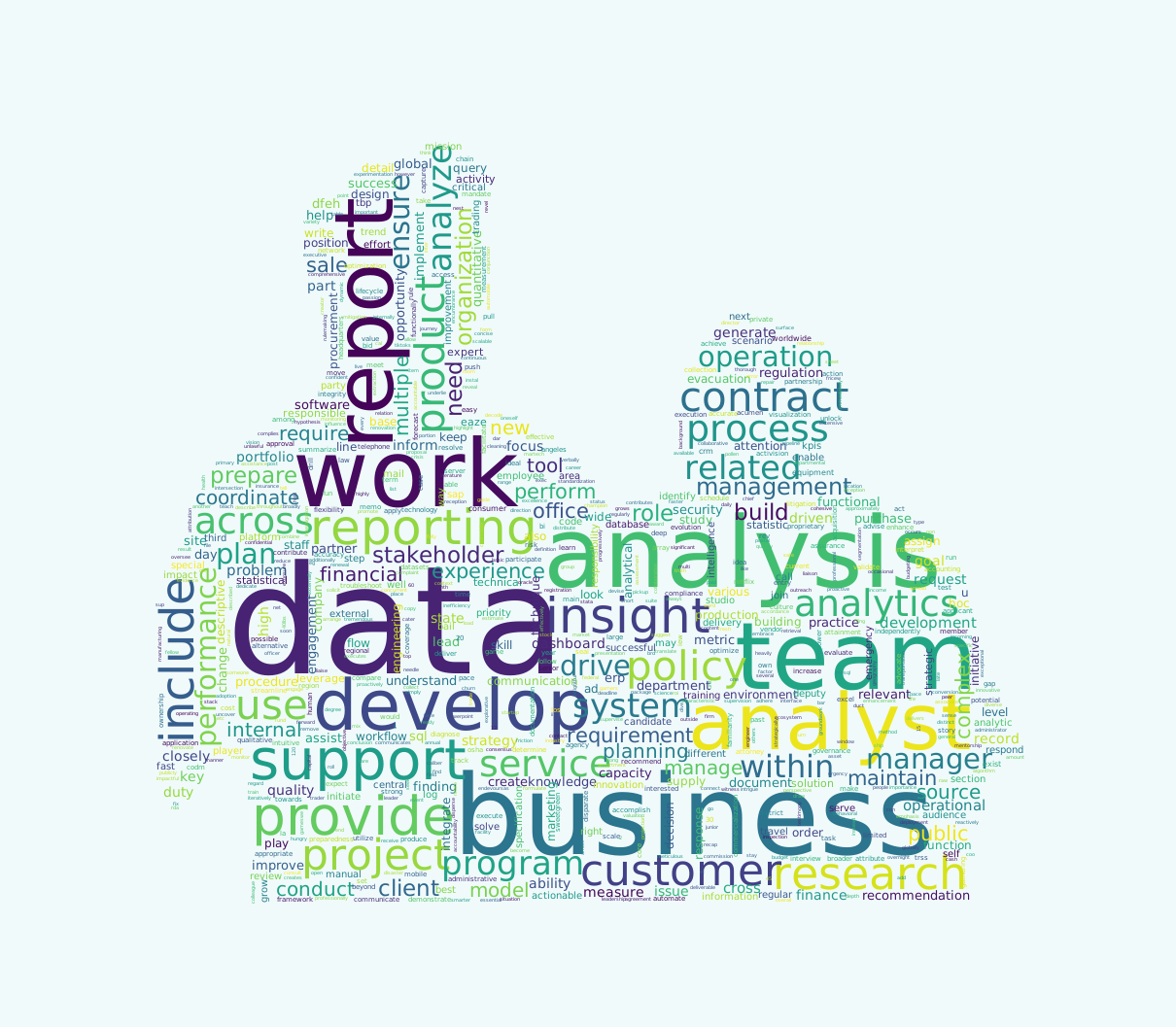
So now that we have our word frequencies, we can make the wordcloud. To do this, we will use the wordcloud library. You can find a little tutorial on how to use it here.
First we need to convert our word frequencies into a dictionary, and then we pass it to the make_image() function.
# Wordcloud
## Convert word frequencies to dictionary
dict_for_wc = freq_lemma.to_dict()

# Here's what this looks like
take(10, dict_for_wc.items())
[('data', 82),
('business', 39),
('analysis', 30),
('work', 27),
('team', 27),
('report', 20),
('analyst', 19),
('develop', 18),
('support', 18),
('reporting', 16)]To give the wordcloud a specific shape, we need to use an image as a mask.
In order to do this, grab an image online and select only the part of the image you want to be the mask for the wordcloud.
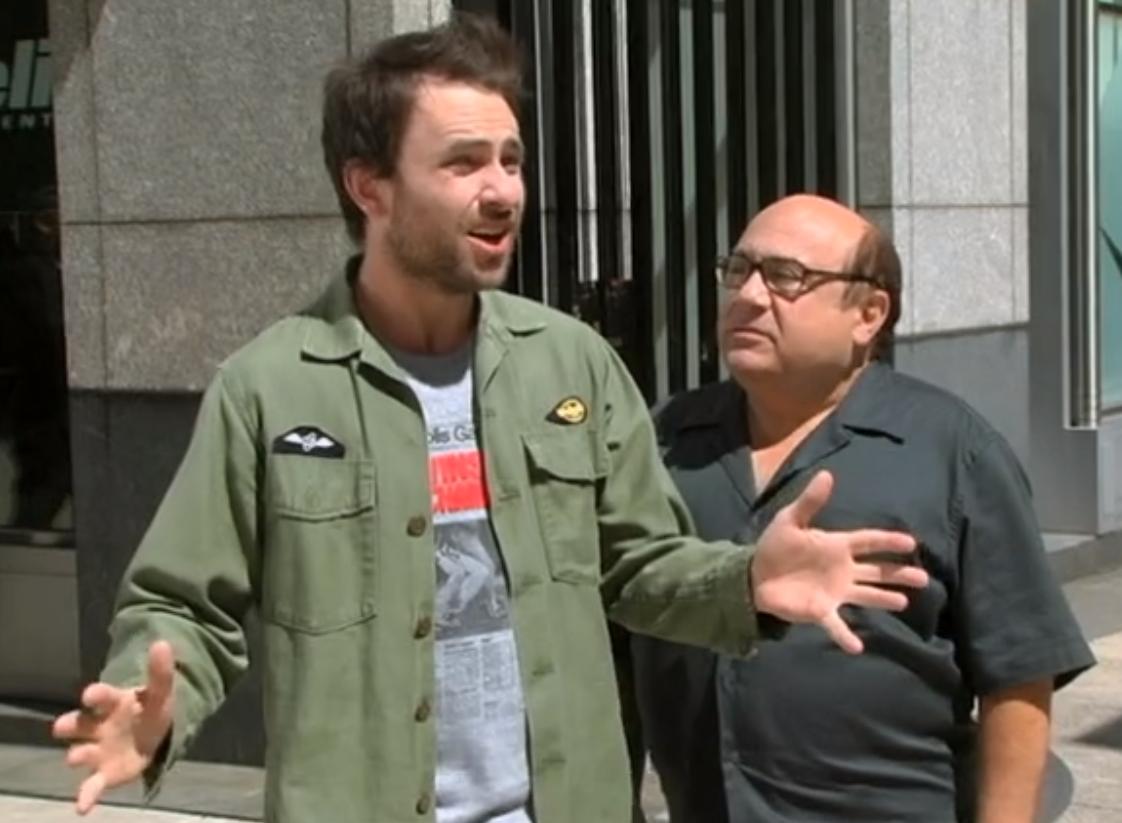

I used photoshop to select the shape I wanted, then filled the shape with black:

Now we pass this image to our function make_image().
def make_image(text, img):
    # Need to get a mask image
    mask = np.array(Image.open(img))

    wc = WordCloud(background_color="#F0FAFA", max_words=1000, mask=mask,
                   random_state=1,
                   colormap='inferno')
    # generate word cloud
    wc.generate_from_frequencies(text)

    # show
    plt.imshow(wc, interpolation="bilinear")
    plt.axis("off")
    plt.show()
# plot the WordCloud image
makeImage(dict_for_wc, 'charlie_black.png')
What did we learn to do?
- Clean string data
- Tokenize text to split it into its constituent parts
- Lemmatize text to reduce the data to its root form
- Calculate the frequency of words in a given piece of text
- Visualize those frequencies in a wordcloud
If you came across this article in a frantic Google search about wordclouds in python, I hope this has been helpful! Now we can strap on our job helmets, squeeze down into a job cannon, and fire off into Jobland where jobs grow on jobbies.
Resources
Below are some of the resources I came across while writing this post. I tried to make a note where code was shamelessly stolen.